Track Grocery Prices With a Shopping List: How to See the Quiet $40 Drift 🛒
You unloaded the bags. You glanced at the receipt. Same store, same trip, mostly the same cart — and somehow $14 more than the last one. You shrug. You forget. Two weeks later it happens again. 😶
Multiply that by a few months and you’ve quietly added $40 a month to your grocery spend without a single big-deal moment to point at. No drama. No sale gone wrong. Just drift.
This is the part of grocery inflation that 2026 budgets aren’t catching. Grocery Dive reported in May 2026 that food inflation is now running at 3.8% — outpacing wage growth for the first time in three years. The headline number is small. The lived experience is a slow leak.
Good news: you don’t need a spreadsheet, an app store binge, or a budgeting overhaul to see it. You can track grocery prices with your shopping list — the same one you already use — by adding three small habits this week.
Why You Don’t Notice the $40 Drift
The drift is invisible because nothing about it is dramatic.
Each price nudge is small. A box of cereal goes from $4.29 to $4.79. A dozen eggs from $3.49 to $3.99. Individually, they don’t register. Cumulatively, they reshape your bill.
Receipts disappear. The little paper proof of what you paid lasts about as long as the trip from car to kitchen counter. Without a record, your only reference for “normal” is a vibe.
Your brain anchors on the first price you ever paid. That’s why eggs feel “expensive” forever after a spike — and why a slow climb that never spikes feels like the new normal. You stop noticing.
That’s the trap. Drift hides inside the gap between what you remember paying and what you actually paid this week. Closing that gap is the whole job.
How Do You Track Grocery Prices Without a Spreadsheet?
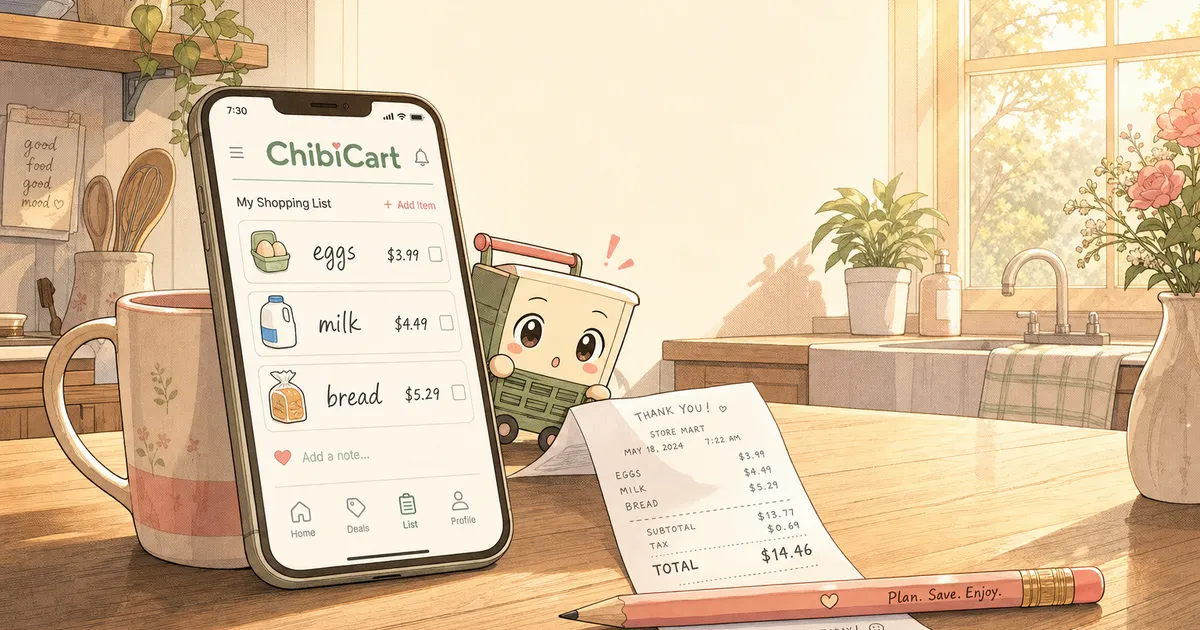
The shortest answer: add the price to the item in your shopping list, every time you shop. That’s it. You don’t need a separate budgeting app, a CSV, or a finance influencer’s template.
Your shopping list already touches every grocery decision you make. If it also remembers what those decisions cost, it becomes the lightest-weight price tracker that exists. No new tool. No new login. Just a habit upgrade on the one you already have.
Here’s the three-part habit that turns a list into a tracker:
- Note the price in the item when you shop (“eggs $3.99”)
- Reuse the list next trip — old prices show up next to new shelf tags
- Re-add notable swaps when a brand jumps and a substitute holds steady
Do that for three weeks and you’ll start to see the drift. Specific items. Specific aisles. Specific weeks. The vague feeling becomes a map.
Three Light Habits That Make the Drift Visible
These aren’t budgeting rules. They’re tiny edits to how you already use a list.
1. Drop the Shelf Price Into the Item Note
When you’re standing in front of a product, you already know the price — it’s on the shelf tag. Tap your list, open the item, and type the number. Five seconds per item. Maybe 90 seconds for a full trip.
The payoff comes the next time you build a list. You see “eggs ($3.99)” and the new shelf says $4.49. That’s a 12% jump on one item. You didn’t dig through receipts. You didn’t open another app. The list told you.
In ChibiCart, every item supports a free-text note. Use it for prices and you’ve got a running ledger by aisle. The list becomes the receipt you actually keep.
2. Reuse Your Lists Instead of Starting From Scratch
Most people rebuild their grocery list from memory each week. That’s the moment all your historical context evaporates.
Duplicating last week’s list — and editing it — is the move. Your prices come along for the ride. So do your brand notes, swap reminders, and category groupings. You spend 2 minutes editing instead of 10 minutes starting fresh, and you never lose the price trail.
ChibiCart keeps your past lists by default — nothing to opt into. When you start a new list, the previous one is right there to copy. The history is the feature.
3. Log Brand Swaps the Moment They Work
A price jump on a familiar brand is the cheapest experiment in grocery shopping: try the store-brand version once and find out if you can taste the $1.50 difference.
The problem is remembering which swaps worked. By Wednesday you’ve forgotten that the store-brand pasta was indistinguishable. Next trip you reach for Barilla again on autopilot.
Fix it in the list. When a swap works, add a note: “Kirkland — same as the brand.” “Store-brand yogurt — fine, kid didn’t notice.” Three weeks of that and your default cart quietly rebuilds itself at a price that doesn’t keep climbing.
What Does “Track Grocery Prices” Actually Look Like After Three Weeks?
Real answer, with specifics.
Week 1: You note prices for ~20 items. Feels a little tedious. Takes about a minute and a half at checkout.
Week 2: Same trip, same list, edited. You notice three items moved up — eggs, ground beef, your kid’s cereal. Total drift on the trip: about $6.
Week 3: You spot a pattern — meat and breakfast items are climbing fastest. Produce is steady. You swap two breakfast items to store brand. New trip total: $4 under week 1’s, even with the climb on items you didn’t swap.
That’s $40 a month, found and reclaimed, with no spreadsheet, no Mint, no envelope system. Just the list you already keep — doing 10% more work.
A Few Questions That Come Up
Won’t this be obnoxious to do every trip? Honestly, the first trip is the slowest. By trip three it takes under two minutes total. The brain settles in, the same way it does with any small habit.
What about prices I forget to log? Skip them. Drift shows up best when you have a partial picture of staples — eggs, milk, bread, coffee, your kid’s snack — not a complete picture of every line item.
Does this work if my partner shops half the time? Only if the list is shared. A list with two contributors and no sync is a list that lies to both of you. ChibiCart syncs in real-time across phones, so the prices your partner notes on Tuesday show up on your screen Saturday morning before you leave the house.
Should I switch stores? That’s a separate question. The point of tracking is to see what’s drifting first. Once you know, store-switching becomes a real decision instead of a hopeful guess.
The Quiet Win
Most grocery advice this year is loud. Coupon stacking. Subscription boxes. Price-matching apps that ping you in the aisle. Some of it works. Most of it adds friction.
This is the opposite. You already use a shopping list. Adding the prices, reusing the list, and noting the swaps takes maybe 90 extra seconds a week. The payoff is being one of the few households who can actually point at which line items are eating the budget, instead of waving at “groceries” as a vague monthly mystery.
That’s the whole pitch for ChibiCart: a delightful shopping list that holds your history, syncs with whoever else shops, and works offline in dead-zone aisles — so the prices you noted last Saturday are there next Saturday, even when the store’s signal isn’t.
The drift is real. So is the fix. Three habits. One list. About 90 seconds a week. Start this trip. 🛍️