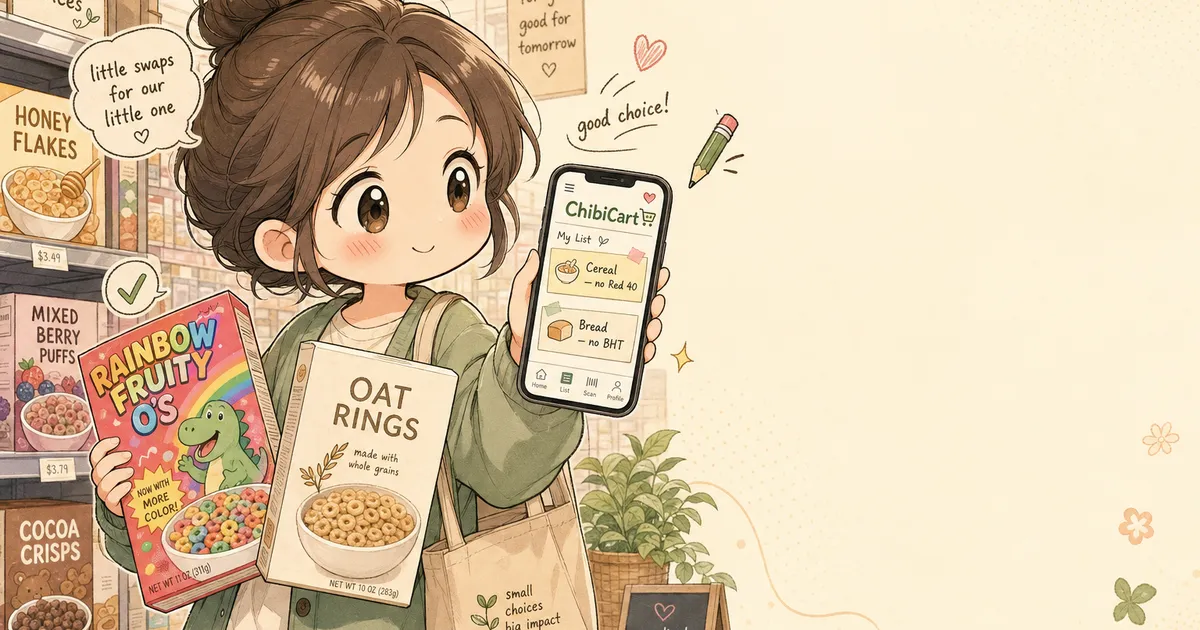
How to Quietly Avoid Ingredients You Don't Want — Without Becoming the Family Snack Cop
You’re in the cereal aisle, holding two boxes. One has the dye your kid loves. The other doesn’t. Your partner texted just grab the usual. Behind you, a stranger’s cart is creaking past. You have about eleven seconds to decide whether to start a conversation about food coloring with the rest of the household tonight — or just quietly pick the cleaner box and move on.
This week, that aisle got busier. On May 14, Target announced it’s expanding its synthetic-color-free cereal section. The day before, the FDA opened a post-market review of BHT and ADA — two preservatives that have been in U.S. bread, snacks, and cereal for decades. Suddenly, half your pantry has a question mark next to it.
The problem isn’t that you don’t care. It’s that caring out loud turns every grocery run into a referendum.
Why a Shopping List With Notes Per Item Beats a Lecture
Most shared lists treat items like dumb tokens. Bread. Cereal. Yogurt. That works fine until you and your partner have slightly different opinions on what counts as “the good kind.”
A shopping list with notes per item lets you encode the preference into the list itself, instead of relegating it to memory, group texts, or a tense exchange near the registers. The note rides along with the item. Whoever shops sees it. No one has to be the snack cop.
A few examples of what “per-item notes” actually look like in practice:
- Cereal — no Red 40, no Yellow 5. (Both kids fine with the multigrain version.)
- Bread — no BHT in ingredients list. (The bakery loaf at the back works.)
- Yogurt — plain, not the strawberry one with red dye.
- Tortillas — corn, no ADA listed.
- Hot dogs — uncured, nitrate-free. (Brand we’ve been buying is fine.)
Notice what these notes are not: they’re not arguments. They’re not health claims. They’re not asking anyone to read a 14-paragraph blog post about additives. They’re just shopping instructions, the same way “organic” or “large eggs” would be.
What Are People Actually Trying to Avoid Right Now?
If you’re wondering what’s driving the recent reshuffle in the cereal aisle, here’s the short version — facts, not vibes:
- Synthetic dyes (Red 40, Yellow 5, Yellow 6, Blue 1) are being voluntarily phased out by major cereal makers, and Target is highlighting dye-free SKUs in a dedicated section as of May 2026.
- BHT (butylated hydroxytoluene) is a fat-soluble preservative used in cereals, snack mixes, and gum. The FDA’s post-market review opened May 13, 2026.
- ADA (azodicarbonamide) is a dough conditioner used in some commercial breads and tortillas. Same review window.
- Nitrates and nitrites in cured meats are an older concern but still drive the “uncured” callout on hot dog and bacon packaging.
None of this is doomsday news. It’s just the reality that the “avoid this” list shifts faster than most household memories can keep up with. A note on the list is a much smaller ask than a household policy meeting.
How to Set Up Per-Item Notes Without Annoying Anyone
This is the part where the list app actually has to do its job. In ChibiCart, every item has a notes field — a small space attached to the item itself, separate from the item name. When your partner taps the item at the store, the note is right there.
A practical setup looks like this:
- Open your shared household list. (You should already have one. If you don’t, that’s the actual first step.)
- Add the items the way you normally would — “cereal,” “bread,” “yogurt.”
- Tap into each item and add a one-line note. Short. Actionable. No Red 40 beats please read the ingredients carefully and consider the family’s overall dye exposure.
- Pin the notes to the items, not the list description. A list-level note (“trying to cut dyes this month”) gets ignored. An item-level note gets read in the aisle.
- Update notes as preferences change. Kid outgrew the strawberry yogurt thing? Edit the note. Don’t make your partner shop a 2024 spec sheet in 2026.
The notes show up in real time on every device the list is shared with. No one has to memorize anything. No one has to be the household’s resident ingredient-checker.
How Do You Avoid Becoming the Family Snack Cop?
Direct answer: make the rule live on the list, not on a person. If the note is on the cereal item, the cereal item enforces it. The shopper sees the note and acts on it. No one has to play hall monitor.
Three quieter habits help too:
- Phrase notes as instructions, not warnings. “No Red 40” is a shopping rule. “Please don’t poison the kids again” is a vibe.
- Let the list absorb edge cases. If your partner picked up a slightly different brand and it was fine, edit the note to allow it: No Red 40 — Brand X or Brand Y both fine.
- Don’t audit the receipt. Trust the list. If something slipped through, edit the note for next time. The list is the source of truth, not a confession booth.
This is the small but real shift: the list takes on the cognitive load that used to sit between two people. The shopping trip stops being a quiz.
A Note on Sharing Without Sync Anxiety
One quick note for the offline-shopping case, because grocery stores love a dead zone. ChibiCart works offline as a PWA — meaning the list and all its notes are already on your phone before you walk in. You can tap into an item, read the note, and check it off in a basement-level store with no signal. The changes sync up the moment you’re back in range.
This matters more than it sounds. Notes are useless if the app freezes when you need them. The whole point of putting a preference on the list is that you can rely on it being there at the exact moment you’re holding two boxes of cereal.
The Quiet Win
Nobody in your house wants to be the food cop. And nobody wants to come home with the wrong cereal. A shopping list with notes per item lets both of those things be true at the same time. The list does the remembering. The shopper does the shopping. The household does dinner.
If this week’s news has you side-eyeing the bread aisle a little harder than usual, you don’t need a manifesto. You just need a list that carries one small note. Try ChibiCart — it’s free, it works offline, and it has a notes field that will quietly outlast every group text you’ve ever started about Yellow 5. 📝