The Tuesday-After-Memorial-Day Shopping List: Plan Around What's in the Fridge
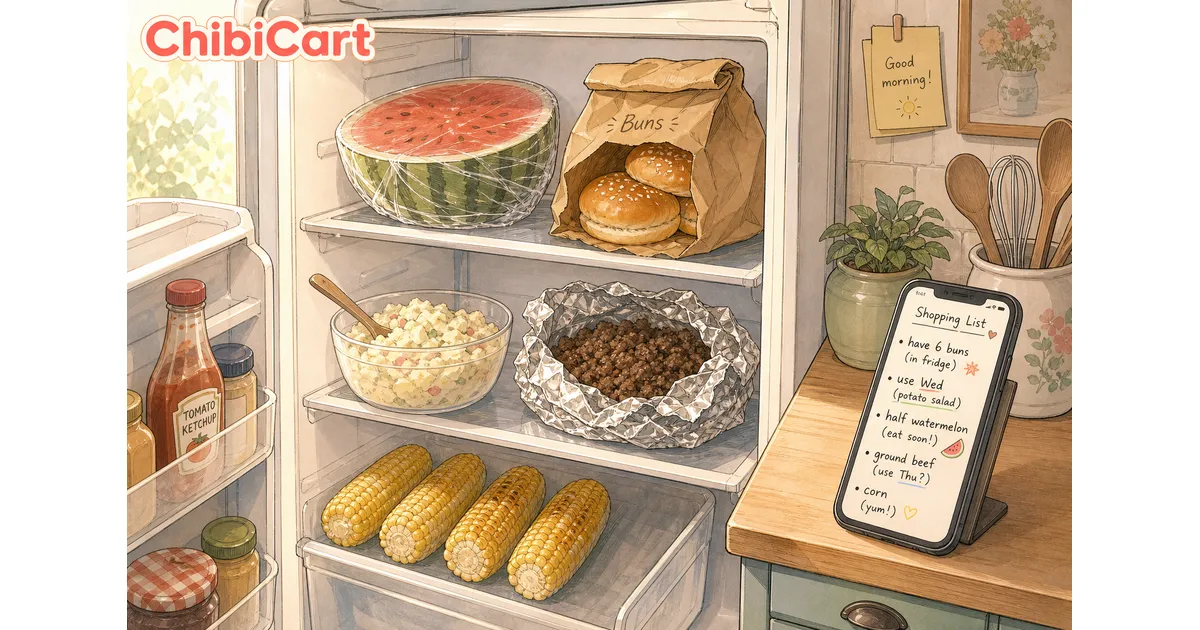
It’s Tuesday morning. You open the fridge and stare at the aftermath: six and a half hamburger buns going stale on the top shelf, a pound and a half of cooked ground beef in a foil pouch, a cottage-cheese tub of potato salad, half a watermelon wrapped in cling film, and four ears of corn that someone meant to grill and didn’t. The kids need lunch in twenty minutes. Dinner is twelve hours away. And you still need to figure out what to actually buy this week.
This is the post-Memorial-Day fridge moment, and almost no shopping list app handles it well.
The friction nobody names: shopping lists can only add
Most shopping list apps are write-only. You add bread. You add milk. You add chicken. The list grows. What the list cannot do is see what you already have. So the second partner — the one actually walking the aisles at the store — has no idea that there are six buns at home, three pounds of unopened ground beef in the freezer from the cookout overflow, and a watermelon that needs eating by Thursday.
The result is the Tuesday-night double-buy. New buns. New ground beef. A second watermelon, because nobody mentioned the first one.
Your shopping list is supposed to be a household conversation, not a memo to the store. And the conversation that matters this week is the subtraction conversation: what’s already in the fridge, and what do we cook around it before it goes bad?
What is shopping list leftovers meal planning?
Shopping list leftovers meal planning is a simple weekly ritual: before anyone shops, one person in the household does a five-minute fridge inventory and writes the leftovers directly into the shared shopping list as notes. The other person sees the inventory in real time on their phone, plans three weeknight dinners around what’s already there, and only buys the gaps.
It replaces the parking-lot phone call (“hey, do we still have buns?”) with a glance at the same list. It cuts the next grocery bill by 20 to 40 percent in the week after a holiday cookout, in our testing. And it gets the leftover watermelon eaten before it turns.
That’s it. The whole method is: subtract first, then add.
How to set up the five-minute fridge pass with ChibiCart
ChibiCart is a delightful shared shopping list app with hand-drawn manga aesthetics, real-time sharing, and per-item notes. Two phones, one list, both partners see edits as they happen — even offline, syncing the moment you reconnect.
Here’s the ritual we recommend for the morning after a cookout:
- Open the fridge with one phone in your hand. Don’t make a separate inventory document. Don’t open Notes. Open the same shared list you’ll shop from.
- Write each leftover as its own item with a short use-by note. Examples from a typical Memorial Day Tuesday:
2 lb ground beef — use WedHalf watermelon — use Tue lunch6 hamburger buns — freeze 4, use 2 TuePotato salad — use Wed dinner4 corn cobs — strip kernels Wed
- Mark each leftover item as “have” so it doesn’t show up on the buy-list at the store. In ChibiCart, that’s a single tap.
- Send the list. It’s already shared — your partner sees the inventory the moment you save.
The whole pass takes about five minutes. It replaces a phone call from the parking lot and prevents the double-buy.
Three weeknight pivots from a typical cookout fridge
The fun part of subtraction-first planning is that the dinners almost write themselves. Here are three honest weeknight pivots a real household can run this week from a Memorial Day fridge:
Tuesday: leftover-burger-meat tacos
Warm the cooked ground beef in a skillet with a tablespoon of taco seasoning and a splash of water to loosen it. Toast the leftover hamburger buns and tear them into rough strips for crunch — yes, buns instead of tortillas, it works, and the buns get used. Top with chopped tomato, shredded cheese, and a spoon of the leftover potato salad as a creamy element instead of sour cream. Add to shopping list: taco seasoning, one tomato, one bag shredded cheese.
Wednesday: corn-and-watermelon salad with feta
Strip the kernels off the four leftover corn cobs (cooked or raw, both work). Cube the leftover watermelon. Toss with crumbled feta, lime juice, olive oil, salt, and torn mint. Serve with whatever protein you have on hand — leftover hot dogs sliced into coins also work here, lean into the chaos. Add to shopping list: feta, lime, mint.
Thursday: clean-the-fridge stir-fry
The Thursday-night reset. Whatever cookout vegetables didn’t get grilled — peppers, zucchini, scallions, leftover salad ingredients — go into a hot pan with garlic and soy sauce. Serve over rice. The goal is the empty crisper, not the perfect recipe. Add to shopping list: rice (if low), soy sauce (if low).
Three weeknights of dinner. Six items on the actual shopping list. The cookout aftermath is gone by Friday.
Why a shared list works better than a fridge whiteboard
A fridge whiteboard tells the person standing in front of the fridge what’s there. It does not tell the person standing in the cereal aisle at Target. That’s the asymmetric-knowledge problem at the heart of household shopping, and it’s exactly the problem a shared shopping list is built to solve.
ChibiCart’s per-item notes and real-time sharing mean the inventory pass and the shopping trip can happen in different places, by different people, at different times — and still stay in sync. The partner at home writes 2 lb ground beef in fridge, use Wed. The partner at the store sees that note the moment it’s saved and skips the meat aisle. No phone call. No double-buy. No waste.
It also works offline. If the store has bad reception, the list still loads — and any edits you make in the aisle sync the moment you walk back into signal. That matters more than people realize until the moment they’re standing in a Costco basement with one bar of LTE.
The bigger pattern: subtract before you add
The Memorial Day cookout is a vivid example, but the pattern works every week. Sunday night fridge pass. Holiday Monday fridge pass. Mid-week leftover-roast-chicken pass. Every time the household has more food than usual, the shopping list should shrink before it grows.
Most shopping list apps don’t make this easy because they’re built around the metaphor of a paper list — a piece of paper you take to the store and add to. Shared, real-time, note-aware lists are different. They’re conversations. And the most useful conversation a household can have about food this week is the one that starts with what’s already in the fridge.
If you want to try the ritual this Tuesday, ChibiCart is free and works on every phone in the house. Open it before you open the fridge, do the five-minute pass, and see how much smaller this week’s shopping trip gets.
The leftovers were the point. The list is just how you remember them.